01
Protect the WeChat account first
WeChat Pay only helps if the WeChat account can log in, receive verification, and survive phone changes, roaming gaps, and security checks.
Mobile payment guide
WeChat Pay is not just a wallet. It sits inside the app many restaurants, hotels, drivers, guides, attractions, and local services already use. Set up payment carefully, then keep a backup for the moments a visitor wallet hits limits.
Page map
01
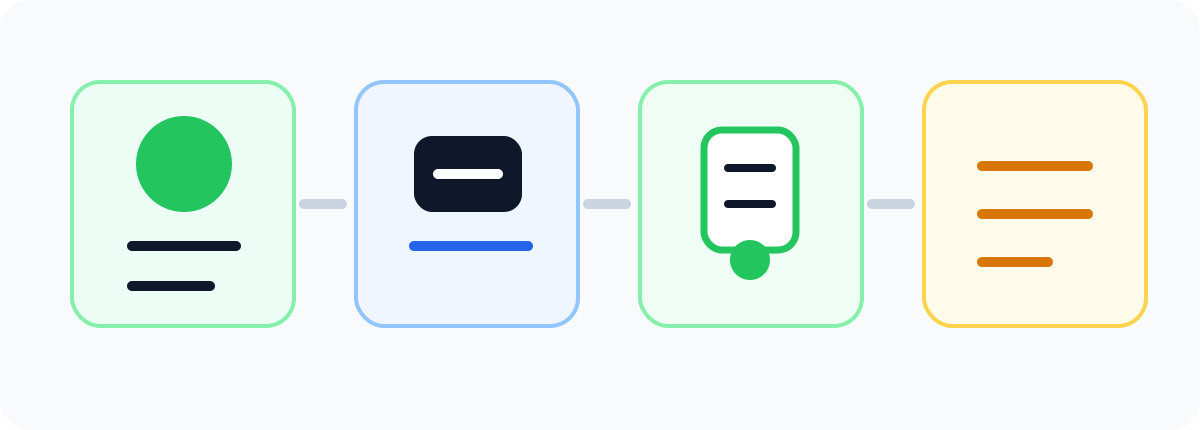
WeChat Pay only helps if the WeChat account can log in, receive verification, and survive phone changes, roaming gaps, and security checks.
02
Add a supported card, complete any identity prompts, set the payment password, and test the Wallet / Pay screen before relying on it in China.
03
WeChat Pay is strongest for small merchants, restaurants, taxis, hotel contacts, official accounts, mini programs, and situations where staff already live inside WeChat.
04
A visitor setup can often pay merchants, but transfers, red packets, balance top-ups, and some personal QR codes may be unavailable or inconsistent.
Account readiness
Many visitor problems look like payment problems but are really account-access problems: the app wants a login check, the phone cannot receive SMS, the wallet entry is hidden, or a security prompt appears at the worst time.
Do not make your first WeChat login attempt after landing. Confirm the app opens, messages load, and your account does not require help from another user.
Use a phone number, email, password, and recovery method you can actually access while abroad. Payment problems often begin as account access problems.
Repeated login attempts, VPN switching, new devices, and rapid profile changes can trigger security friction. Keep the travel phone setup boring.
WeChat is often how hotels, guides, drivers, and local services communicate. Add critical contacts before the day you need payment help.
Payment setup
Depending on app version and region, look for Me, Services, Wallet, Pay, or Bank Cards. If the Wallet entry is hidden, update the app and check region/language settings.
Foreign visitors without mainland bank cards may be able to bind supported international credit cards. Enter card number, expiry, CVV, billing details if requested, and phone verification.
Use passport details consistently. Some actions may request additional identity verification before payment features become fully usable.
This password is separate from your WeChat login. Memorise it and do not share it with staff, drivers, hotel contacts, or support impersonators.
Use a convenience store, cafe, or small supermarket test before a taxi, train station, restaurant rush, or late-night arrival depends on it.
Payment modes
Use: Chain stores, supermarkets, cafes, and counters with scanners.
Friction: The cashier scans your dynamic code. Open it only when paying and close it after the transaction.
Use: Small restaurants, taxis, guesthouses, markets, and printed counter signs.
Friction: Check merchant name and amount. Some personal or static QR codes may reject foreign-card-funded payments.
Use: Food ordering, attractions, taxis, hotels, delivery, local services, and ticket reservations.
Friction: The payment may work, but passport fields, Chinese-only forms, or foreign-card support can still block checkout.
Use: Venue notices, hotel communication, support desks, and local service flows.
Friction: Useful for communication and booking handoffs, but do not assume every account supports foreign-card payment.

Where it helps
Many casual restaurants use WeChat mini programs for menu, table number, order, and payment. Translate before paying, especially for spice level, set meals, and quantity.
Convenience stores, drink shops, fruit stalls, and local counters often expect a quick scan. WeChat Pay can feel more natural where the merchant already shows a WeChat QR.
Taxi drivers may show a QR code, but foreign-card acceptance can vary by code type. Keep cash or Alipay ready so the ride does not become a payment negotiation.
Even when the room was booked elsewhere, WeChat can be the practical channel for arrival time, pickup details, address screenshots, and quick help.
Some venues use WeChat official accounts or mini programs for reservations. Payment is only one part; passport name fields and ticket pickup rules matter too.
WeChat is useful for sharing pins, meeting points, photos, and updates. Payment transfers may be limited for visitors, so settle shared costs another way.
Foreign-card limits
A visitor setup should be treated mainly as a way to pay participating merchants, not as a full local wallet.
Do not rely on person-to-person transfers, red packets, or balance top-ups if your setup uses only a foreign card.
Some posted codes belong to individual accounts rather than merchant accounts. If payment fails, ask for another code or switch payment method.
Your card issuer may block transactions as online overseas activity. Keep bank app approvals, SMS, or issuer contact reachable.
A payment-capable wallet does not guarantee a mini program accepts foreign passports, foreign cards, or non-mainland phone numbers.
Save order pages, merchant names, amounts, and card notifications. Refund timing can depend on merchant processing and card issuer conversion.
Safe payment habits
A cashier may point, but should not need your password, SMS code, or bank approval. If the situation feels rushed, step aside and switch method.
Small stalls may ask you to enter the amount yourself. Watch decimal points and confirm the merchant before tapping pay.
WeChat login, payment password, bank app, and SMS codes are separate layers. Treat all of them as private.
The dynamic pay code is meant for the cashier scanner. Do not leave it open while walking, queueing, or showing your phone for translation.
First-day drill
Open WeChat, confirm messages load, check Wallet / Pay access, and make sure you still have data and bank verification.
Test at a convenience store or cafe. Confirm whether the cashier scans you, you scan them, or a mini program is involved.
Use translation, confirm table number and quantity, then pay. If the mini program blocks payment, ask staff for a counter payment option.
Before the ride, keep cash or Alipay available. At the end, if a driver code fails, switch quickly instead of debugging in the car.
Save receipts, confirm card notifications, charge the phone, and keep tomorrow’s transport/payment plan simple.

Backup stack
WeChat Pay is extremely useful, but the traveller-safe setup is redundancy: another wallet, some cash, a real card, and enough battery to use any of them.
Often works better for visitor-first payment setup and travel services. Keep both apps ready because different merchants and mini programs lean different ways.
Carry small emergency cash for taxis, snacks, laundry, markets, and payment outages. It is not old-fashioned; it is recovery infrastructure.
Useful at larger hotels, malls, airports, and some tourist businesses. Less useful for tiny daily purchases.
A dead phone is a dead wallet. Keep a power bank, reachable SMS, and enough data for payment screens and bank approvals.
Troubleshooting
Update WeChat, check region/language settings, search inside Me / Services, and avoid reinstalling repeatedly while travelling unless necessary.
Check card network support, billing address, CVV, SMS verification, bank blocks, and whether the app wants identity verification first.
Ask for a different QR code, try a staffed counter, switch to Alipay, or pay cash. The code may not support your funding source.
Try passport name order, use another ticket platform, ask the venue desk, or keep the booking in a channel that supports foreign visitors.
Step out of the queue. Use official prompts only, avoid sharing codes, and switch payment methods if the purchase is urgent.
Keep screenshots of the order, merchant account, amount, date, and card notification. Follow up through the original mini program or merchant chat.
Keep planning
Pick one connected topic and finish the practical setup before adding more places to the itinerary.
Browse all guides ->Important disclaimer
This guide is for general trip-planning information, not legal, medical, financial, or immigration advice. Rules, availability, and provider policies can change—verify time-sensitive details with the relevant official source before you travel or book.
Content confidence
WeChat Pay Guide has been reviewed for practical visitor use, internal links, route relevance, and clear action steps.
Rules for entry, payment products, bookings, transport, and attractions can change. Verify official or provider sources before relying on time-sensitive details.
Check official sources before booking time-sensitive items.
Plan with cities
Use these city guides to turn the topic into a route, hotel choice, transfer day, or first-stop decision.

Modern, vibrant, and full of surprises.
Open city guide ->
Technology, innovation, and modern vibes.
Open city guide ->
Cantonese food, riverfront lights, and trade-city energy.
Open city guide ->
Relaxed, lovely, and famous for pandas.
Open city guide ->